
Downloads.
Synergy Editor App.
It is important to keep your software up to date – download it below.


Tone King Preamp Firmware.
Please note that the firmware is automatically updated to the unit from the Synergy Editor App when the unit is plugged in.
Get the most out of your Tone King Preamp Pedal:
HUGE FREE Firmware Update for Tone King
How to use: Tone King TriTube Preamps 4 Cable Method
Your Tone King just got Better.
All New For Tone King Preamp Pedals
We are happy to announce the new Synergy Editor App and Firmware Update
These updates need the new Synergy Editor App. Install it first, then update your unit from it. Once updated, the old editors can no longer connect to the unit; they will show ERROR. Your presets and settings are kept when you update.
Open the new Editor and connect the Tone King preamp pedal using the provided USB cable. The preamp pedal will automatically download the latest firmware.
DO NOT UNPLUG THE UNIT WHILE THE FIRMWARE IS BEING UPDATED!!
Here Are Some New Tools and Improvements:
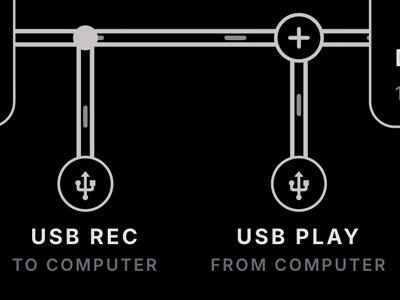
USB AUDIO
Record to and monitor from your DAW!
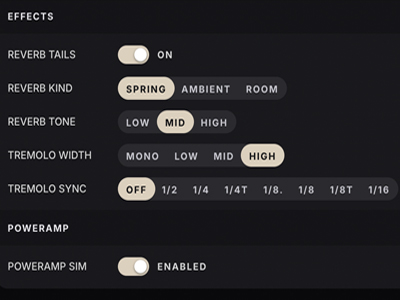
All New Reverb
With choice of SPRING, AMBIENT and ROOM types!
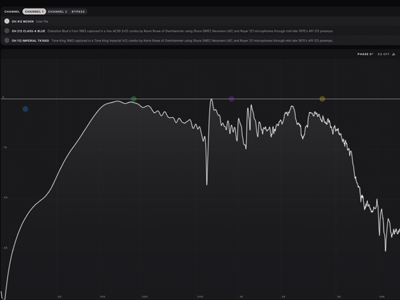
New IR EQ & Library
EQ your IRs / entire IR library now available
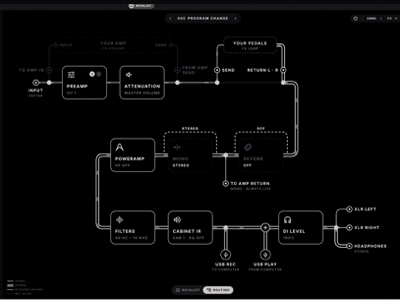
New Routing Page
Live View of the Full Signal Path From Input to Every Output Jack
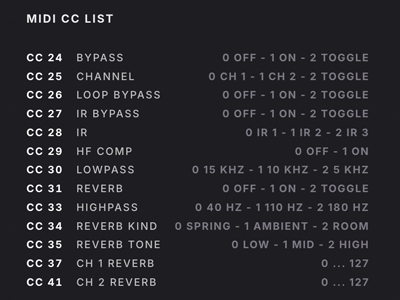
Seamless MIDI Switching
Seamlessly switch IR and channel via MIDI
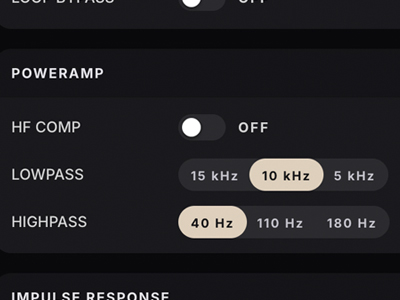
New Power Amp Model
A more authentic, amp-like feel on the XLR and headphone outputs, with a new HF Compensation mode
Join the community.
Since 1993 Tone King Amplifiers have set the bar for High Performance Vacuum-Tube Guitar Amplifiers for Tone Fanatics. Join our mailing list to be the first to hear about new offers and special events!


